
Control and monitor your Arc System

Arc Control

Take full control of your Arc Loader with a unified, responsive management dashboard. Effortlessly handle updates, addons, and hardware diagnostics directly from DSM. It’s the most advanced way to run your Xpenology setup - faster, smarter, and easier than ever.
About Arc Control

Arc Control is the ultimate command center for your Xpenology environment. Designed as a seamless web-based bridge between the Arc Loader and Synology DSM, it eliminates the need for complex command-line tinkering by bringing powerful administrative tools directly to your browser.

Whether you’re a power user fine-tuning hardware acceleration or a home lab enthusiast looking for a "set it and forget it" experience, Arc Control provides a unified, responsive interface to keep your system optimized and healthy.

Arc Control installs as a DSM package and adds a full management interface to your desktop. Most of what previously meant rebooting into Config Mode can be done while DSM keeps running.


Arc Loader

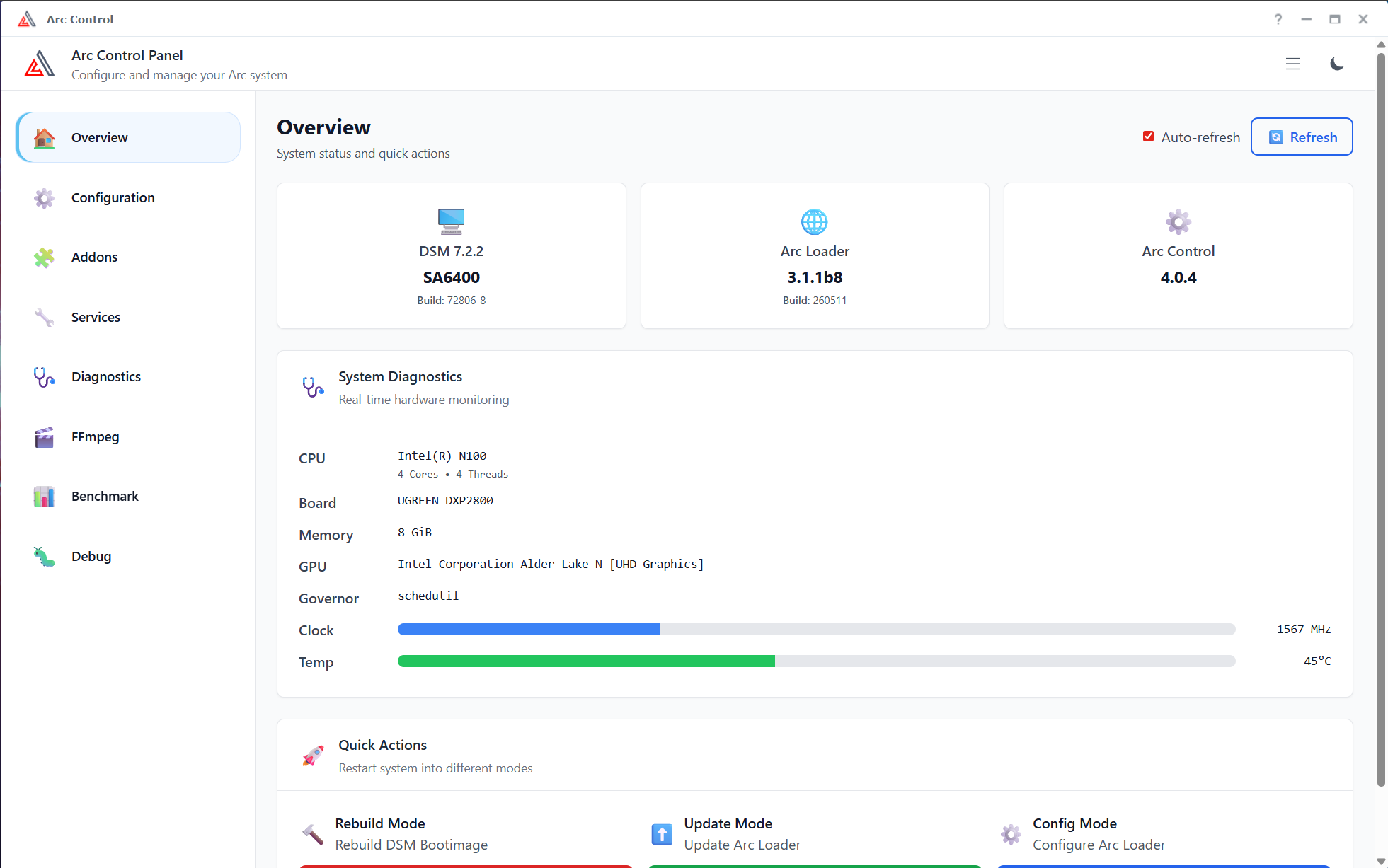
  • Configuration — edit your loader settings as ordinary form fields: DSM model, version, platform, PAT URL and checksum, serial number, MAC addresses, USB VID/PID, SataDOM, kernel options, module blacklist, and what appears on the boot screen. Back up your configuration to a file at any time.
  • Addons — browse every available Arc addon with its description and version, search the list, and enable or disable individual addons.
  • One-click restarts — reboot straight into Rebuild, Update, Config, Recovery, Automated, Junior or UEFI mode, each explained before you commit.
  • Update notice — the overview tells you when a newer Arc Loader is available and shows the release notes.
Configuration and addon changes are written to your loader and take effect after a rebuild.

Monitoring

  • Overview — DSM model, version and build, Arc Loader version, CPU, memory, motherboard, kernel, GPU, live clock speed and system temperature at a glance. You can even upload a photo of your own mainboard.
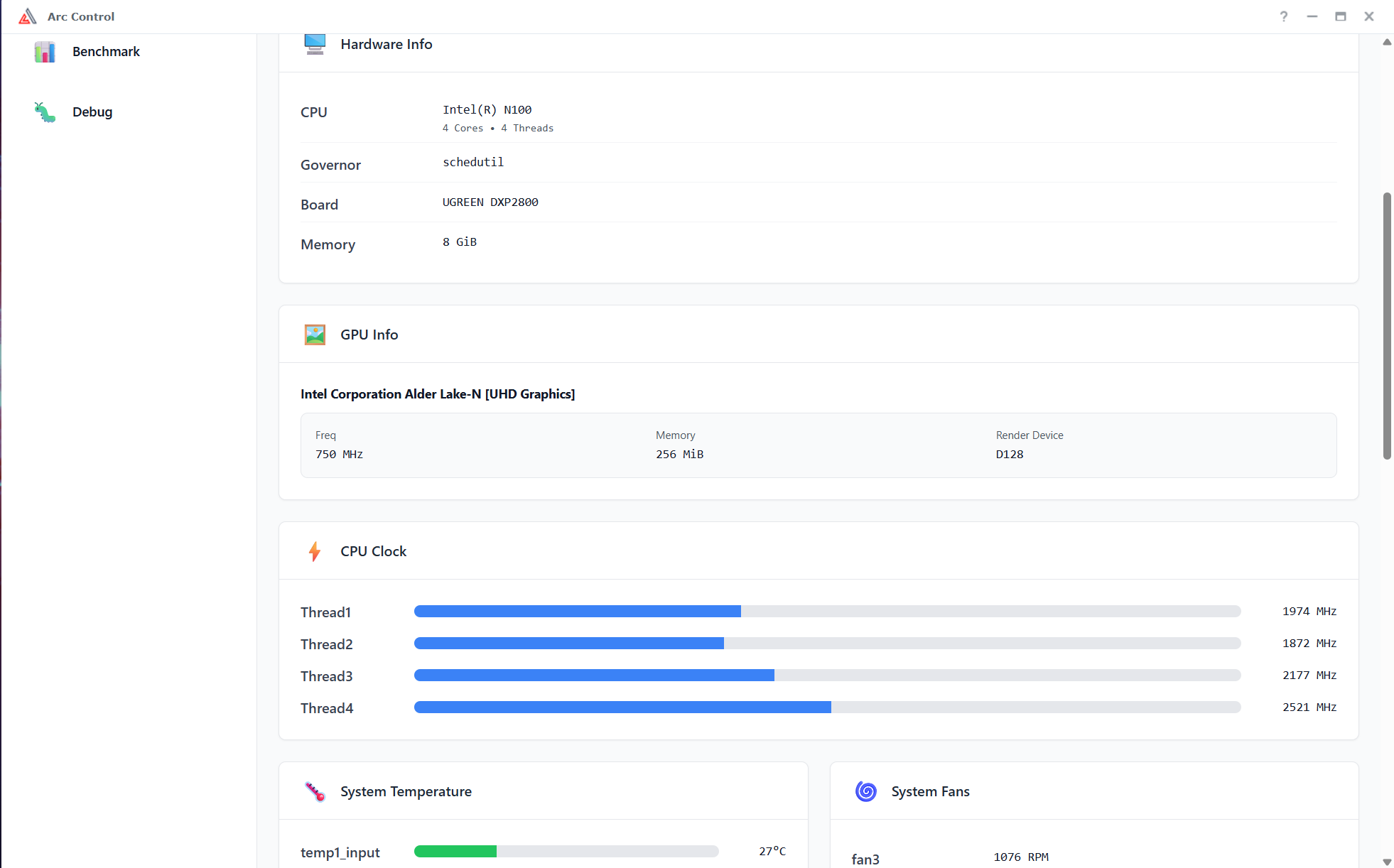
  • System Monitor — CPU and memory utilisation, per-core clock speeds, disk I/O, temperatures, fans, storage controllers, NVMe drives and network interfaces. Click any drive for its complete SMART report.
  • Resource Monitor — live CPU, memory and swap usage, per-core load, and a searchable, sortable process list. Open any process for full detail — and stop a runaway one if you need to.
  • Network Monitor — per-interface addressing, link state, speed and duplex, live throughput, error and dropped-packet counts, MTU, and bond membership.
  • NVIDIA — temperature, power draw, memory, utilisation and clocks for each card, plus the raw nvidia-smi output. (Appears when an NVIDIA GPU is present.)

Tuning

  • CPU Control — set how many CPU threads stay online and whether physical cores are preferred over Hyper-Threading siblings; choose the frequency governor; switch turbo on or off; set the energy/performance preference; and tune frequency-scaling responsiveness. On hybrid CPUs you can pin workloads to P-cores or E-cores. Settings survive a reboot, and every option can be reset to the loader default.
  • Dynamic Power Saving — lowers the frequency ceiling while the NAS is idle and lifts it again under load.
  • Fan Control — set fan curves as three temperature/speed points across Full, Cool and Quiet modes, with a live graph and live RPM readout. Give individual fans their own curve, or leave a fan under BIOS control. (Requires the fancontrol addon and supported hardware.)

Services & patches

  • Arc Connect (beta) — encrypted remote access to your DSM through a private address, with a QR code for your phone, and optional statistics reporting to Arc Web Management.
  • Apps & Permissions — grant or revoke elevated privileges per package or per user, and start, stop or restart packages.
  • StoragePanel — match DSM's storage panel to your actual bay layout, with preview images.
  • HDD/SSD Database — stop DSM overwriting the drive database, silence compatibility and memory warnings, enable IronWolf Health Management or Btrfs deduplication.
  • App patches — fix Surveillance Station local display and enable face recognition in Synology Photos.
  • AppInstaller — install and patch packages through an interactive terminal.
  • LED control — for UGREEN NAS: LEDs on, off, or temperature- and activity-controlled.
  • VCRT — browse every available encoder and decoder and the hardware-acceleration APIs your system supports, and make VCRT's FFmpeg the system default. (Appears when VCRT is installed.)
  • Sequential I/O — tune sequential I/O behaviour on SSD cache volumes.

Diagnostics

  • Benchmark — test storage read and I/O performance, single- and multi-core CPU speed, and hardware video encoding.
  • Speedtest — measure your internet connection with the Ookla CLI, choosing a server or letting it pick the best one.
  • Debug — view kernel boot parameters, loaded modules, MAC addresses and the kernel log; open a root terminal; or generate a complete diagnostic report to attach to a support request.

    How to get Arc Control

    • DSM Package Center: You can simply install it from Community Apps within the DSM Package Center. (For Arc Loader > 3.0)

    • Package Source: Add https://apps.xpenology.tech as a manual package source in your DSM settings.

    • Manual Download: Download the latest version directly from GitHub Releases.

    Get Started Today

    Jump in now and experience seamless setup with Arc Loader - effortless, fast and powerful!